
Download ClaraTrack – menstrual cycle tracker, period tracker app, women's health tool, cycle prediction, symptom logging, free period tracker
Overview
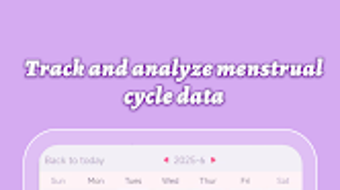
ClaraTrack is a dedicated menstrual cycle tracking application designed for Android users seeking a straightforward way to monitor their reproductive health. As a free tool in the Lifestyle category, specifically within Health & Fitness, it serves individuals who want to maintain awareness of their menstrual patterns through consistent logging and data visualization. The app enables users to record period start and end dates, track associated symptoms, and log mood fluctuations, creating a comprehensive personal health record.
These entries help users identify recurring patterns, anticipate future cycles, and make informed decisions about their well-being. The application is particularly useful for those managing irregular cycles, planning for fertility, or simply gaining deeper insight into their body’s rhythms. Its minimalistic interface prioritizes usability, allowing users to navigate core functions with minimal effort.
ClaraTrack’s design emphasizes clarity and consistency, encouraging daily engagement. While the developer, ClaraHealth Inc., has not disclosed additional details about their background or development philosophy, the app’s presence on the Google Play Store suggests a focus on accessibility and user-centered design. The app is suitable for both first-time trackers and individuals seeking a reliable, no-frills solution for reproductive health management.
Key Features & Capabilities
- Period Start and End Date Logging – Users can record the beginning and conclusion of each menstrual cycle, forming the foundation for accurate tracking and analysis.
- Symptom Tracking – The app allows logging of physical and emotional symptoms such as cramps, bloating, fatigue, and irritability, helping users correlate symptoms with cycle phases.
- Mood Journal Integration – A dedicated section enables users to document daily mood changes, offering insights into emotional patterns linked to hormonal fluctuations.
- Future Cycle Prediction – Based on historical data, ClaraTrack estimates upcoming periods, supporting better life planning and preparation.
- Simple, Intuitive Interface – The clean layout and minimal design reduce cognitive load, making the app accessible to users of all technical skill levels.
These features collectively support long-term health awareness. For example, a user tracking irregular cycles can use historical data to identify trends over time. A woman planning for conception may rely on the prediction feature to time ovulation windows. The app’s lightweight nature ensures it remains responsive even with extended use, contributing to sustained engagement. While advanced analytics or AI-based insights are not confirmed, the core functionality aligns with standard expectations for period tracker apps in the free tier.
User Interface, Workflow & Performance
ClaraTrack presents a streamlined user interface centered around visual calendar views and simple input forms. Navigation is designed to be direct, with key actions—such as logging a period or adding a symptom—accessible from the main screen. The workflow follows a logical sequence: users open the app, select a date, and input relevant data with minimal taps.
This simplicity reduces friction, which is critical for consistent use. The app’s performance is optimized for Android devices, with a reported size of 24 MB, suggesting efficient resource usage. However, exact performance metrics such as CPU or RAM consumption were not specified by the developer.
General software behavior indicates that lightweight applications like ClaraTrack typically run smoothly on mid-range and higher-end Android devices without causing system lag. Stability is likely maintained through standard app lifecycle management, though no official reports on crash rates or updates were provided. The app does not require an internet connection for core tracking functions, supporting offline use.
Overall, the user experience appears focused on reliability and ease, with design choices aimed at minimizing user fatigue and encouraging long-term adoption.
Compatibility & System Requirements
ClaraTrack is designed exclusively for the Android operating system, with a version number of 1.8.4. The application has a file size of 24 MB, indicating a compact footprint suitable for devices with limited storage. This makes it accessible to users on entry-level or older Android smartphones.
The developer did not provide additional system requirements, such as minimum Android version, RAM, or processor specifications. As a result, compatibility details beyond the OS platform are limited. Users should verify whether the app functions on their specific device model or Android version through the Google Play Store.
The release date of May 12, 2023, suggests the app is relatively recent and likely supports current Android versions. However, no explicit confirmation of compatibility with Android 10 or later was included. For users seeking assurance on hardware performance, the lack of detailed technical specifications means reliance on general assumptions about Android app behavior.
Pros and Cons
Pros
- Free to download and use with no in-app purchases or ads mentioned
- Lightweight design (24 MB) ensures compatibility with low-storage devices
- Simple, intuitive interface promotes consistent user engagement
- Core features like period logging, symptom tracking, and cycle prediction are well-integrated
- Offline functionality allows tracking without internet access
Cons
- Exact system requirements and minimum Android version were not disclosed
- No information on data privacy policies or encryption practices
- Limited customization options for tracking fields or visualizations
- Performance under heavy usage or on older devices not confirmed
- Developer background and company details are not publicly detailed
FAQ Section
Is ClaraTrack available for iOS devices?
Based on the provided information, ClaraTrack is currently designed for Android OS only. No details about iOS availability were included.
Is the app secure and private?
The developer did not specify data encryption methods or privacy policies. Users should exercise caution and review the app’s permissions before use.
Does ClaraTrack require an internet connection?
Core tracking functions can be used offline. However, certain features like cloud sync or updates may require internet access.
How often should I update the app?
Updates are typically released to fix bugs and improve stability. Users should check the Google Play Store periodically for the latest version.
Can I use ClaraTrack without creating an account?
While account creation details were not provided, the app supports offline use, suggesting it may function without a login.
Final Thoughts
ClaraTrack delivers a focused, no-nonsense approach to menstrual cycle tracking, ideal for users who value simplicity and accessibility. Its free pricing model, compact size, and intuitive design make it a compelling choice for Android users seeking reliable period tracking without complexity. While the lack of detailed system requirements and privacy disclosures may raise questions for cautious users, the app’s core functionality remains solid and well-suited for daily use.
It excels in helping individuals understand their cycles through consistent logging and predictive insights. For those in the Health & Fitness space looking for a lightweight, user-friendly tool, ClaraTrack stands out as a practical and efficient solution. Download ClaraTrack now.







